engineering notes
How PSD layer writing actually works
* Free to use — the editor runs in your browser, and nothing is uploaded unless you start a server step: the AI tools, or upscaling a photograph (logos and flat artwork are enlarged on your device). A free account (Google, Apple or an emailed code — no card) is needed to download the finished file, and comes with credits for the server-side tools.
We write layered PSDs in the browser, so we've been elbow-deep in the format. Here's what a real layered file contains, why one-layer fakes are so common, and what "non-destructive mask" physically means on disk.
See the writer in actionA PSD is four sections and a trap
The format is a 1990s-vintage container: a header, color/resource blocks, the LAYER AND MASK section, and a flattened composite image at the end. The trap is that last part: a valid PSD only NEEDS the flattened composite. Write your JPEG there, leave the layer section empty, and every viewer opens it happily as "Background". That is the one-layer fake, and it is why a .psd extension proves nothing.
What real layers require
Each layer is a record: bounds, blend mode, opacity, a Unicode name, and per-channel pixel data (compressed, usually RLE) — plus, optionally, a mask channel with its own bounds. Groups are bracket markers — hidden divider layers that viewers reconstruct into a tree. Getting Photoshop, Photopea, Affinity, GIMP, AND Krita to agree on your bytes means testing against all of their readers, because each tolerates different corners of Adobe's spec.
Masks: the difference between editable and baked
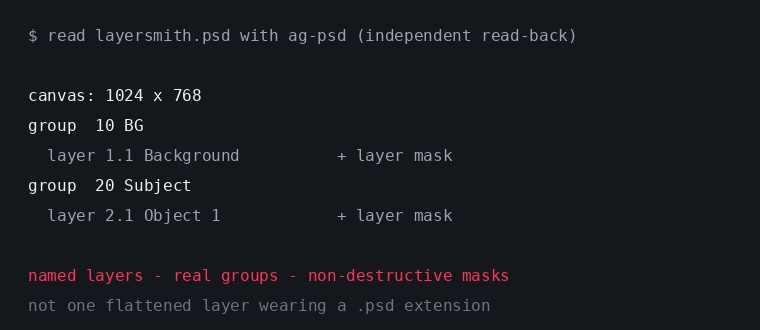
A cutout can be stored two ways: bake the transparency into the alpha channel (destructive: the hidden pixels are gone), or attach a MASK channel alongside untouched pixels (non-destructive — paint the mask white and the pixels come back). We write masks. It costs an extra channel per layer and is the single clearest tell of a converter that cares.
Writing it in a browser
The writer (built on the open-source ag-psd) assembles the byte stream client-side: your pixels never leave the machine to become a PSD. Text layers are the deep end. A type layer is not a raster layer with words on it — it carries Adobe's type-engine data structures, so the string, size and colour live in the file as text and Photoshop can put a cursor in them. Writing that correctly is a different job from writing a raster layer, and it is the reason our OCR-recovered text comes back as genuine editable type objects. Whether any given competitor's "text layers" are real type objects or rasterised regions is not something we can tell you from the outside — but you can tell in one click: open their output, click the text layer, and see whether a cursor appears.
Verify anyone's output — including ours
Open any converter's file in Photopea and count layers; then try toggling a mask. Or go full nerd: a real layered PSD's Layer section is typically the majority of the file size, while a fake is one composite image plus headers. Our companion piece (why most converters are fake) has the 30-second version of this test.
Frequently asked
Why does everyone target PSD instead of a sane modern format?
Network effects: PSD is the interchange format every tool imports. We also write OpenRaster (.ora) (a clean, documented zip of PNGs) for tools that respect it.
What library do you build on?
ag-psd, an excellent open-source TypeScript implementation, plus our own layer/group/mask assembly and cross-app compatibility testing on top.
Do you support every PSD feature?
No — nobody does. We write what layered editing needs: raster layers, groups, masks, opacity, blend modes, and text layers. Smart objects and adjustment layers are out of scope for a converter.
Keep reading
The 30-second test for a fake PSDImage to PSD with real layersThe OpenRaster writer, for GIMP and KritaRelated
Remove the object, fill the background, and keep the objectCanva can layer an image now — but only inside CanvaGet image layers into PowerPoint: the clean wayDepth parallax wallpaper layers from your own imageSeparate the subject from the background, and keep bothPull the text out of an image — as text you can actually editMost "image to PSD" converters are fake. Here is the 30-second test.Free online color separation for screen printing