free in your browser
Free online color separation for screen printing
* Free to use — the editor runs in your browser, and nothing is uploaded unless you start a server step: the AI tools, or upscaling a photograph (logos and flat artwork are enlarged on your device). A free account (Google, Apple or an emailed code — no card) is needed to download the finished file, and comes with credits for the server-side tools.
Load your design, press one button, and get one plate per ink — each named by its colour, each exportable on its own. Spot and index separation are free and unlimited: they run entirely inside your browser, with no account, no upload and no trial clock — and so does a multichannel PSD with one real Photoshop spot channel per ink. When the job needs actual film — halftone screening, a choked underbase, choke and trap, dot gain — that render is 10 credits an image, and for the next 24 hours you can re-render that image as often as you like, free, for 24 hours.
Separate a design freeWhat "free" means here, precisely
Spot separation and index separation are free, forever, with no account. Ink count and tolerance, merging and renaming inks, reordering the print sequence, per-plate preview, the proof over your garment colour, manual cleanup, and export to per-ink PNG, ZIP or ORA — unlimited, full resolution, never watermarked. Both PSD exports are free too, and this is the part worth noticing: a layered PSD with one named layer per ink, and a multichannel PSD carrying one real Photoshop spot channel per ink with its ink colour and name attached — the file a RIP and a separator actually expect. Three PSD exports a day on the free tier, uncapped once you hold credits; quantity is capped, quality never is. All of that runs client-side, which is why it can be free: it costs us nothing because it runs on your machine, and it makes no network call at all, so your customer's artwork is never uploaded and never leaves the building. The paid half is the print-ready render, and it is print maths at output resolution: halftone screening at non-moiré angles, a choked underbase, a separate highlight white, per-ink choke and spread, trapping, dot-gain compensation, registration marks, 1-bit film per plate at 600 or 1200 dpi, vector plates, and CMYK and simulated-process separation. That genuinely needs a server, because a 14-inch plate at 1200 dpi is a 16,800-pixel image and that is not a browser job. It is 10 credits per image, and for 24 hours after that render you can re-render the same image as often as you like, free, for 24 hours. Nothing is crippled to sell you the upgrade; the free half is the free half because of where the code runs.
What color separation actually requires
Every ink in a screen print needs its own screen, which means your flat design has to be split into one artwork layer per color: every pixel of that color on one plate, no matter where it appears in the design. Traditionally that means Photoshop channel gymnastics, or dedicated desktop software. The established options are all installs: Separation Studio NXT is a standalone Windows/Mac application on a yearly subscription, while UltraSeps and T-Seps are Photoshop plug-ins bought outright, which means a full Photoshop licence underneath them. They are good tools and they earn their keep in a shop doing daily simulated process work. But they are also a purchase, an install, and a computer capable of running Photoshop — before you have separated anything at all.
One button: Split by color
Layersmith reads your design, finds the distinct ink colors, and lifts each one onto its own layer — named by its hex color, so your layer panel reads like a screen list. And it groups by color, not by connected shape: every letter of your cream lettering, both snowcaps, and every scattered highlight of the same ink land together on one plate, exactly as they will share one screen. One behaviour to know: the free engine keeps the largest colour area as the base rather than cutting a screen for it, on the assumption that the biggest flat field is the garment. On flat art that is right; on a photograph, check what landed in the base before you trust the plate count.
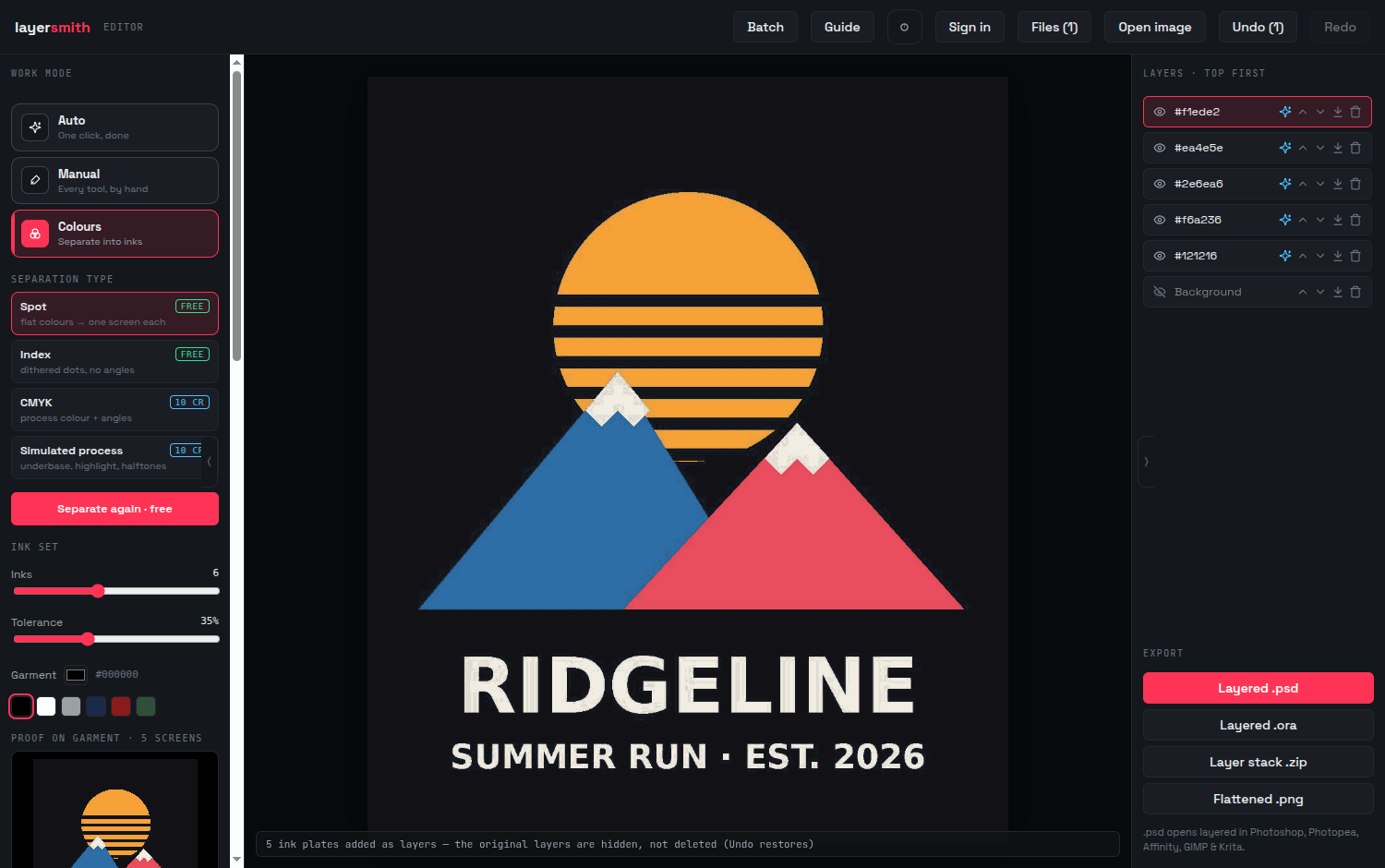
A four-color job, separated
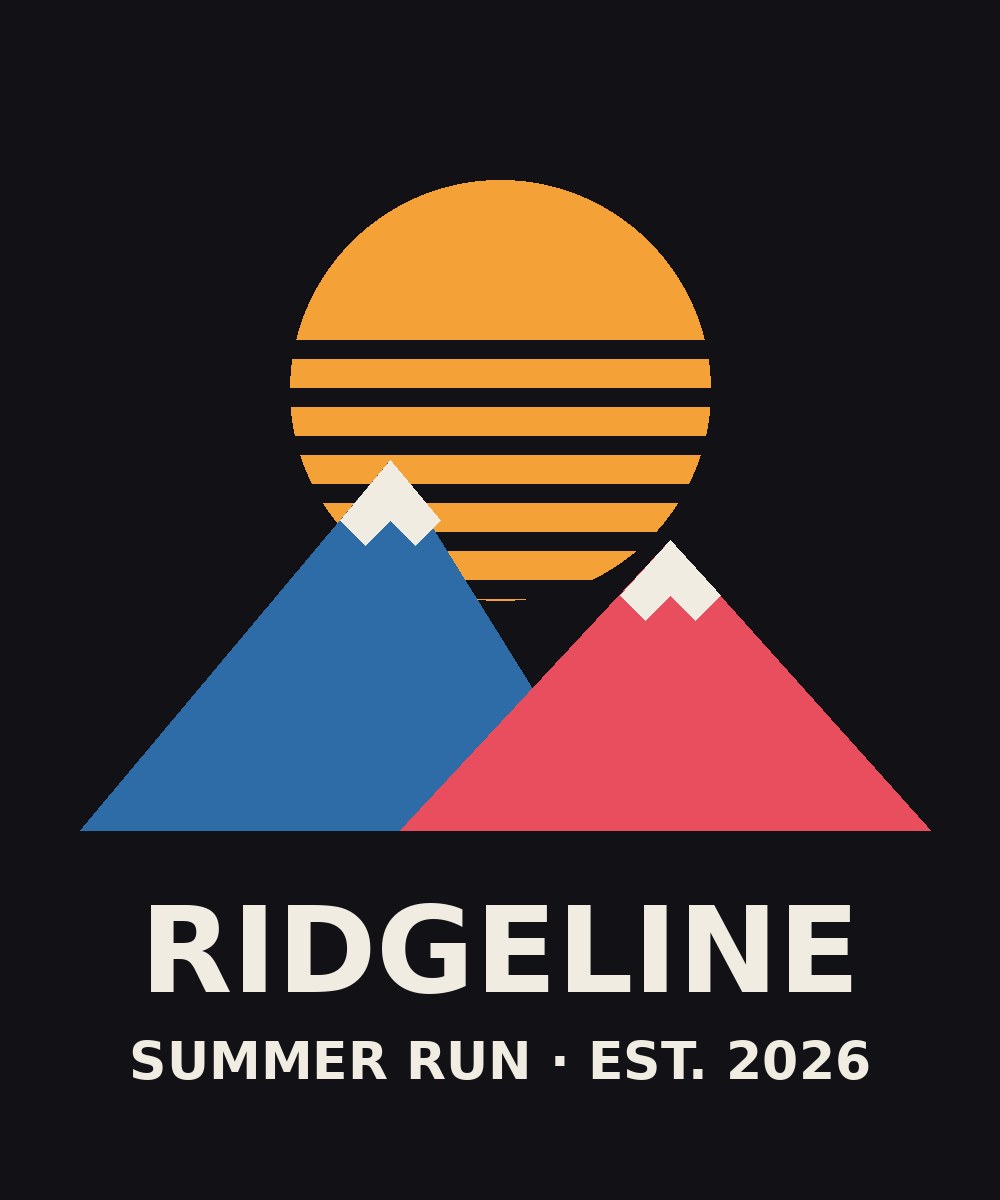
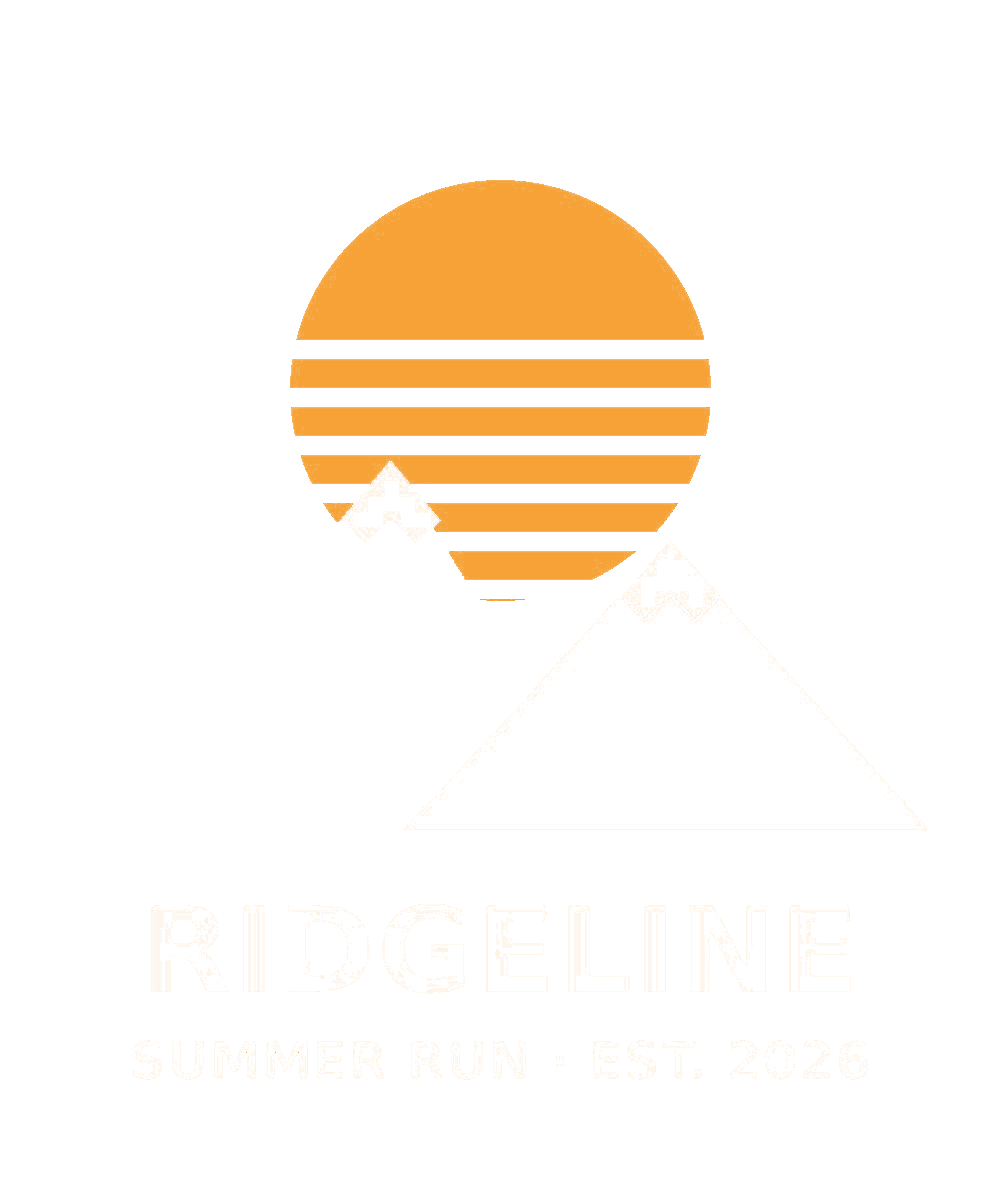
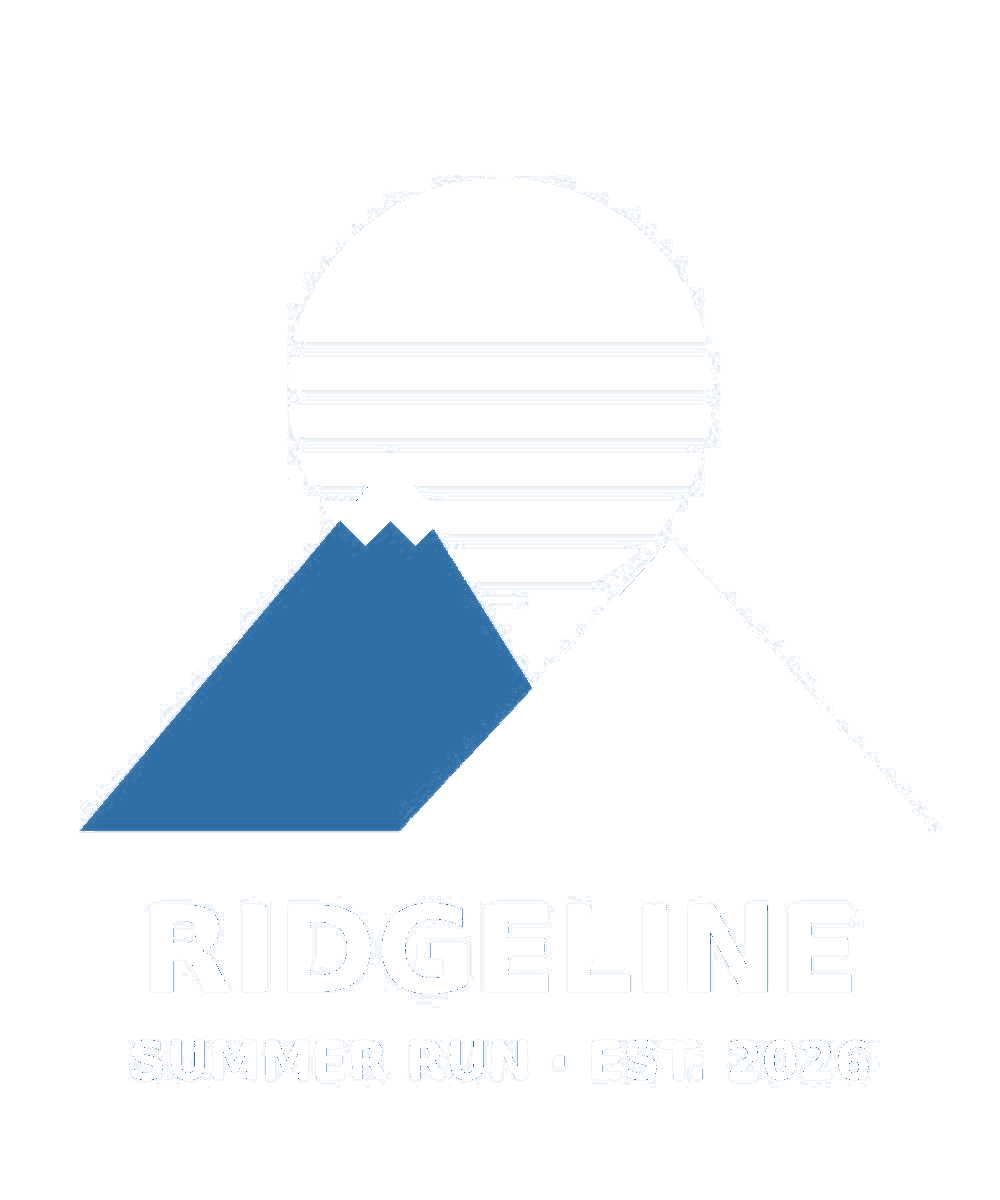
Below is a worked example, and it is real output from the editor this page links to rather than a mock-up: a four-ink retro design on a black garment, separated in one pass in the browser with nothing uploaded. It came back as five layers — four ink plates plus the garment base — at #f6a236 orange, #2e6ea6 blue, #ea4e5e red, #f1ede2 cream, over #121216 garment black. The cream plate is the one to look at: the lettering and both snowcaps share a single screen despite being a dozen disconnected shapes, which is exactly what a separator has to get right and what shape-based tools get wrong. The plates below are PNGs, not JPEGs, because a lossy plate is not a plate.
And the multichannel PSD, checked by something that is not us
The free browser export was read back with psd-tools, an independent open-source PSD reader, and it contains four real spot channels — one per ink, named by its hex, which the reader returned as exactly #f6a236, #2e6ea6, #ea4e5e and #f1ede2 — in colour mode 7 (multichannel), 8-bit, RLE compressed, carrying image resources 1005, 1006, 1077 and 1060. The garment base is deliberately not in it, because the substrate is not a screen and nobody should burn one for the shirt. What we are not going to tell you is that Photoshop has opened it: that test has not been done yet, and until it has, "validated by independent readers" is the only claim we are entitled to make.
Export the way your RIP expects
Three shapes of file, all written in your browser. A layered PSD: one named layer per ink, every plate at full canvas size and in register. A multichannel PSD: one real Photoshop spot channel per ink, each carrying its ink colour and name, at the physical DPI implied by the print width you set — this is the file that behaves like a separation in Photoshop rather than a stack of pictures, and the garment base is deliberately left out of it so nobody burns a screen for the shirt. Or a ZIP of per-ink transparent PNGs, numbered in stacking order. All of it opens in Photoshop, CorelDRAW workflows, Photopea and GIMP. Your film output or DTS workflow continues exactly as before; the part that changes is the hour you used to spend making the seps.
Halftones, underbase and simulated process
These are no longer roadmap items. The Color separation tab handles all four separation types — spot, index, CMYK, and simulated process — and the print-ready render adds the print math on top: halftone screening at non-moiré angles (your choice of frequency, dot shape, and output DPI), a choked underbase, a separate highlight white printed last, per-ink choke and spread, trapping, a dot-gain compensation curve, registration marks, and optional vector-traced plates. Output defaults to continuous-tone grayscale plates, which is what most RIPs actually want; pre-halftoned 1-bit film is a switch away.
Simulated process ships with manual override
Simulated process ships with per-channel curve and density override, and that is deliberate. Fully automatic sim-process is unreliable in every tool on the market — the established desktop packages all keep manual channel control for exactly this reason: Separation Studio NXT at $229 a year, T-Seps at $345 and UltraSeps at $399 (all vendor-listed, checked 28 July 2026), and the newer AI-branded ones do too. A photograph that separates itself perfectly with nobody touching a channel does not exist. So the auto pass is a starting point and then there are the sliders to fix it: pull a channel back, push the underbase, retime the highlight white. If you have never separated a photograph before, expect to make judgement calls; if you have, you already knew that.
Priced against what separations actually cost you
The alternative most shops use for the awkward jobs is an outside separator, and those are per-design fees. Published prices, checked 28 July 2026: ContractPrinter lists $15 for one or two spot colours, $30 for three to five, $55 for six to eight, and $85 and up for nine-plus or photorealistic simulated process, with $5 for each revision; Victory Screen Factory lists $18.99 for two colours rising to $78.99 for eight. That $85 is the top of the field rather than the going rate for photographic work, and it is worth knowing the flat-fee services exist: checked 29 July 2026, Burn My Screen lists a flat $60 per design, 24 Hour Seps — Scott Fresener's own service — lists a flat $65 per set for any number of colours (a promotional rate when checked; their volume packs go lower), and Color-Separation.com lists $15 to $50 including the underbase and highlight white. So realistically, outsourcing a hard sim-process design runs somewhere in the $50 to $85 band, and a simple two-colour job runs $15 to $19. Turnaround field-wide is commonly a day, sometimes two, though neither ContractPrinter nor Victory publishes one. Here, spot and index separation cost nothing at all, and the print-ready render is 10 credits per image, with free re-renders of that image for 24 hours instead of a revision fee and a fresh wait. Credits come with a monthly plan, or as a one-off pack whose credits never expire — see the pricing page for current prices in your currency. For a genuinely difficult photograph on a dark garment, a skilled human separator is still worth the money; for the everyday spot-colour job list, paying per design is overhead you can stop.
Frequently asked
Is this really free, or free-for-a-week free?
Really free, with no trial clock and no account. Spot and index separation are unlimited: ink count and tolerance, merging and renaming inks, reordering, manual cleanup, per-plate preview, and unlimited PNG/ZIP/ORA export, plus one PSD export a day with a free account — either the layered PSD or the multichannel PSD with real spot channels, both written in your browser. Full resolution, no watermark, on every tier. A monthly plan removes the PSD cap and buys the server-side print-ready render at 10 credits per image, with free re-renders of that image for 24 hours. A one-off pack adds credits that never expire.
What does the free version not do?
It does not halftone, and it does not generate the underbase. Free separation gives you flat plates: one plate per ink, in register, at full resolution — which is finished artwork for a flat spot job and a genuine starting point for anything else — plus both PSD exports, including the multichannel one with real spot channels. Halftone screening, the choked underbase, the separate highlight white, choke and spread, trapping, dot-gain compensation, registration marks, CMYK, simulated process, vector plates and 1-bit film at 600 or 1200 dpi are the paid render. Index separation sits in an unusual middle: because index plates are already solid dots rather than continuous tone, the free index export is usable film artwork for a lot of jobs without any screening at all.
How many colors can it separate?
Up to 12 inks per pass, set with the ink count control. Most spot jobs are 2–6 inks; the largest color area is kept as the base (usually your garment) and each remaining ink is lifted to its own named plate. Index separation uses the same ink count to posterize a photograph down to a printable palette.
Does it do halftones or simulated process?
Yes, both. Spot, index, CMYK, and simulated process separation are all in the Color separation tab, and the print-ready render adds halftone screening (frequency, angle set, dot shape, output DPI), a choked underbase, a separate highlight white, per-ink choke and spread, trapping, and dot-gain compensation. Simulated process ships with per-channel curve and density override, because fully automatic sim-process is unreliable in every tool that sells it — the override is the feature, not a workaround. Spot and index separation are free in your browser; the print-ready render is 10 credits per image, and re-rendering the same image after a tweak is free for 24 hours.
Does my artwork get uploaded?
Only if you ask for the print-ready render. Spot and index separation, the ink list, per-plate preview, and every export (PNG, ZIP, ORA, layered PSD, multichannel PSD) run client-side in your browser and make no network call at all — the design is never uploaded and never leaves your machine. The print-ready render (halftones, choked underbase, trapping, dot gain, film output, vector plates) needs a server, so it does upload the image; it is clearly labeled with its 10-credit cost, and the server copy is deleted within 24 hours. The other server AI features (subject separation, background fill) work the same way. Nothing you upload is ever used to train models.
What about anti-aliased edges between inks?
Colors are grouped with a tolerance, so the few blended pixels along an edge join their nearest ink rather than becoming stray plates of their own. Tolerance is the control: tighten it and more of that ramp is read as its own ink, loosen it and more of it collapses into the neighbouring plate. You can always refine any plate with the brush tools before export.
Keep reading
Upscale low-resolution art before separatingSpot color separationSimulated process color separationIndex separation vs simulated processCMYK separation for screen printingHow to separate colors in Photoshop for screen printingColor separation services: what they costHalftones for screen printing: lpi, angles, filmHow to make a white underbase for dark garmentsRaster to vector for screen printingUltraSeps alternativeSeparation Studio alternativeT-Seps alternativeRelated
Spot color separation, free and in your browserIndex color separation, and when to choose it over simulated processSimulated process color separation, with the override you will needCMYK separation for screen printingHalftones for screen printing: lpi, angles, dot shape, film outputHow to create a white underbase for dark garmentsRaster to vector for screen printing: turning a customer JPEG into platesAn UltraSeps alternative that does not sit inside Photoshop